This is a test version
The simulator is still being developed. Things may change between visits, some parts are unfinished, and something may break. Scores and settings may be reset.
Browsers
The simulator should run in most current browsers on a desktop or laptop computer. It is developed and tested in Microsoft Edge; Google Chrome should work the same way.
The hardware console needs Edge or Chrome. Firefox, Safari and phones or tablets have not been tested yet — please tell us how it went if you try one.
Before you start
- The first start downloads about 50 MB (her 3D model); later starts are quicker.
- The 3D bridge view needs a reasonable graphics card. If it stutters, choose the lower quality in the 3D view (the High button turns to Low).
- A laptop with two graphics chips may run the browser on the slower one: in Windows, Settings → System → Display → Graphics, set your browser to High performance — or use the lower quality.
- Sound is used for the VHF and the station's calls — turn it on.
What we would like to hear
- How she handles — what feels right, what does not.
- Anything that broke, looked wrong or was unclear, and what you were doing.
- Your browser, computer or device, and whether it ran smoothly.
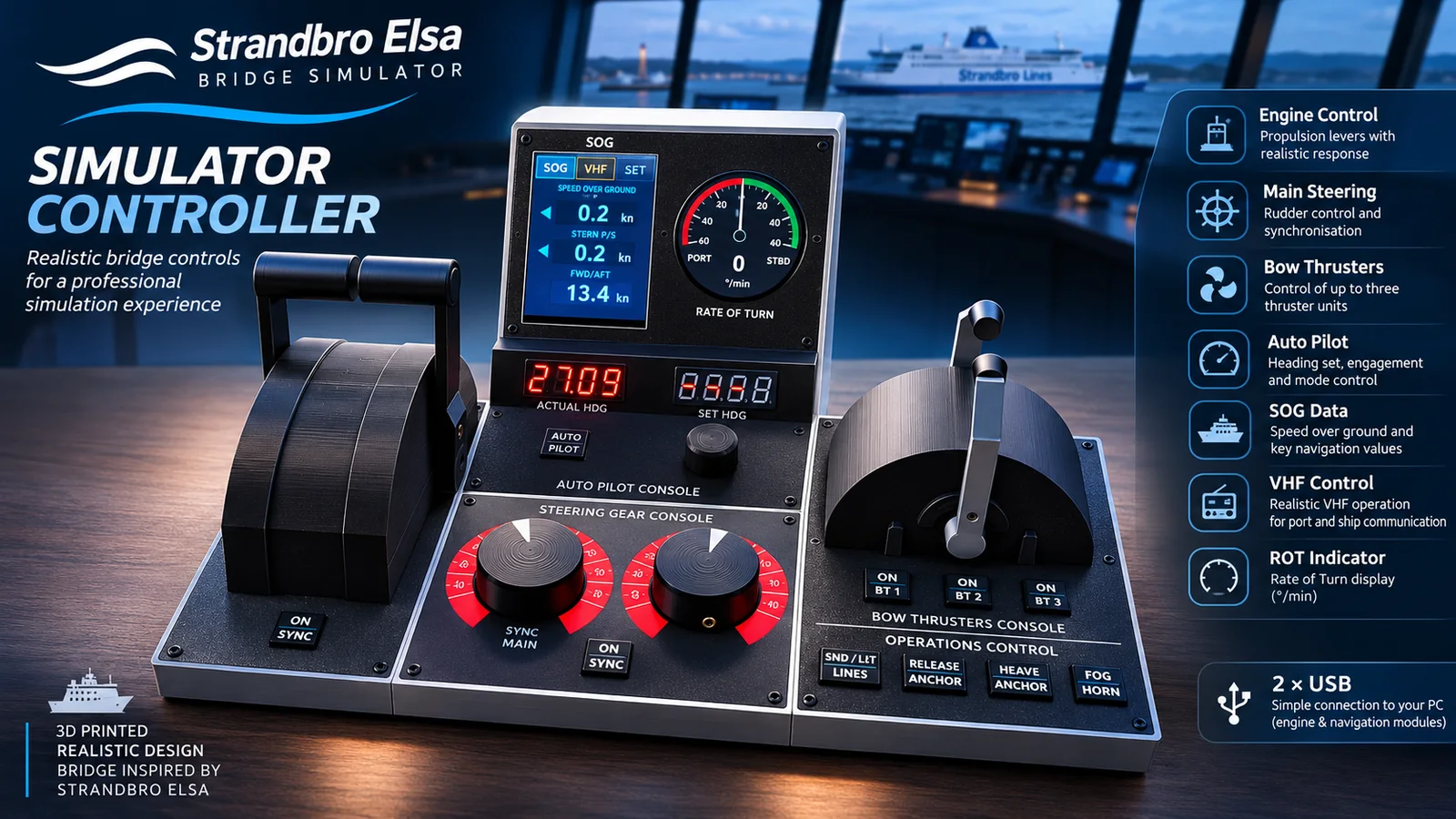
Hardware console
The simulator can also be sailed from a desk console built for it: the engine levers, the steering gear console with its rudder synchronisation, the bow thrusters, the autopilot with its heading displays, speed over ground, rate of turn and the VHF — 3D printed, after the bridge of Strandbro Elsa, and connected to the computer by two USB cables.
It is optional — everything can be done with the mouse and keyboard. It is still being developed too, and needs Microsoft Edge or Google Chrome (their WebSerial support). If you have built one, or are interested, let the author know.
Not for navigation
The handling is built on the ship's own sea trial data and on real charts of both ports, but it is an approximation for training and interest only. Never use it to plan a real manoeuvre or for navigation.
Thank you for taking the time to try the simulator. Every note on how she handles, every bug found and every device tested helps to make the next version better — your help with its further development is much appreciated.
— Grzegorz Szadkowski, the author